
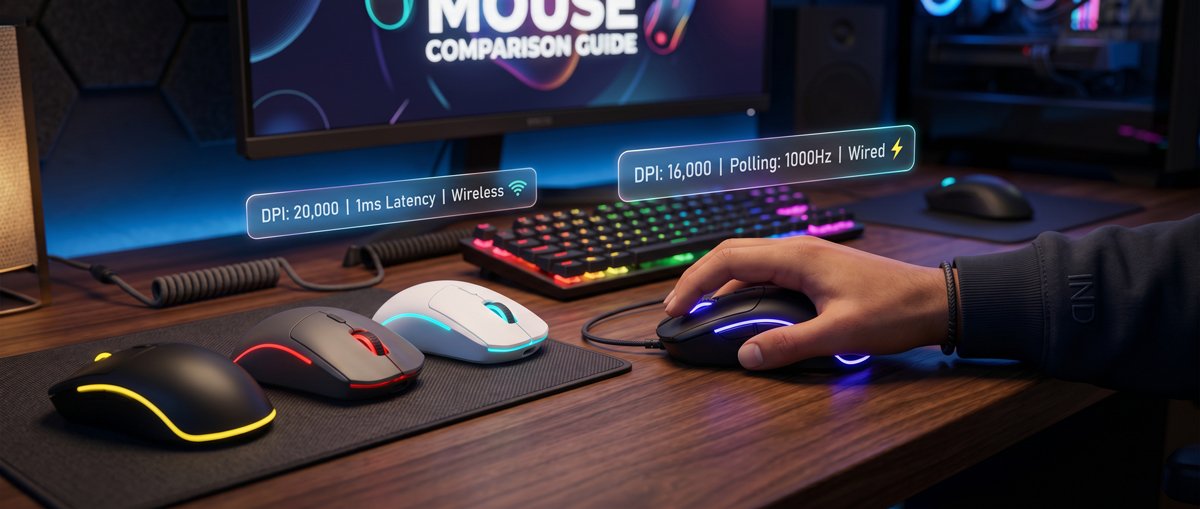

Looking for the best gaming mouse under ₹2000 in India in 2026? Discover top wired and wireless picks, key specs, and simple buying tips for every type of gamer.
Best Gaming Mouse Under ₹2000 in 2026: Quick Intro
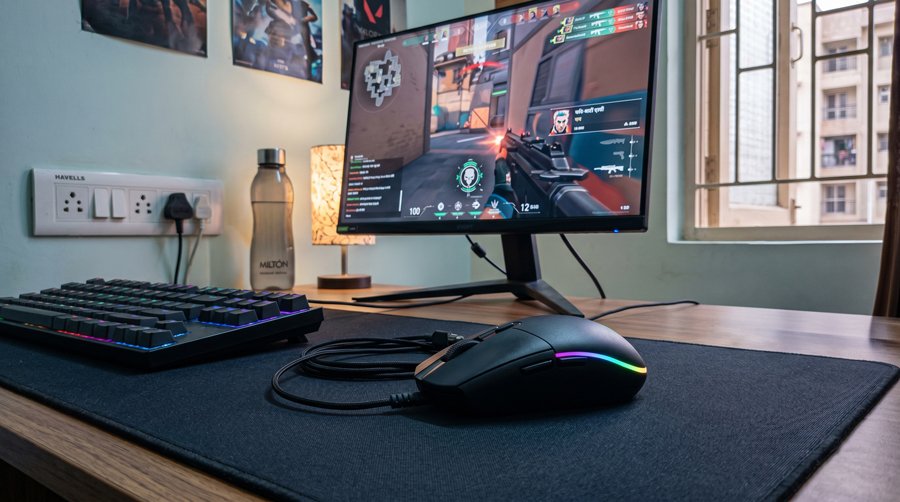
Finding the best gaming mouse under ₹2000 in India in 2026 is easier than ever, but the huge number of wired and wireless options can make the decision confusing. If you want a serious performance upgrade without wasting money on gimmicks, you need to focus on sensor quality, comfort, and reliability instead of just RGB or flashy designs.
In this price bracket, you can now get gaming mice with proven PixArt or gaming‑grade sensors, a wide DPI range, comfortable shapes for claw, palm, or fingertip grip, and solid build quality that can handle long sessions. Wired mice still give the best value and lowest latency, but 2.4 GHz and even tri‑mode wireless models with 1000 Hz polling have started appearing well under ₹2000 in India.
Why a Gaming Mouse Under ₹2000 Is a Sweet Spot
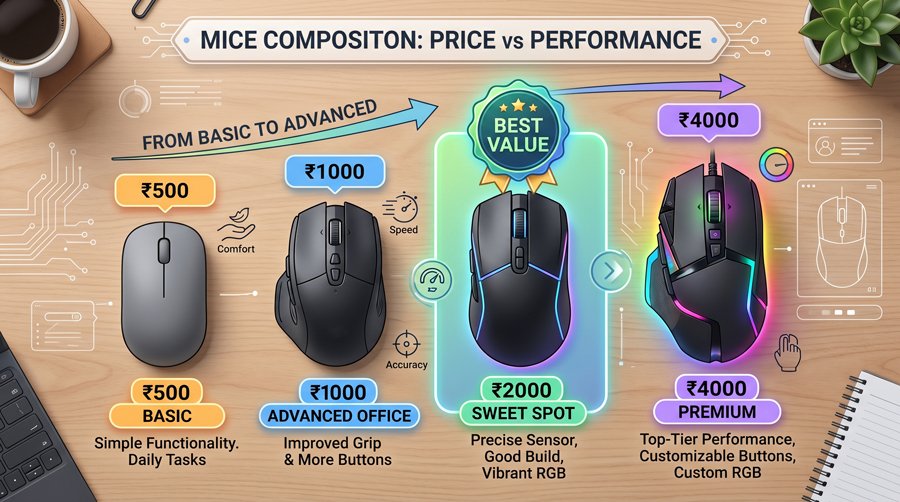
A budget ceiling of around ₹2000 moves you beyond basic office peripherals into real gaming‑grade hardware without paying for luxury extras. In this range, you can expect responsive optical sensors, decent build quality, useful RGB lighting, basic to advanced software support, and even dual‑mode or tri‑mode connectivity in some models.
For students, casual players, streamers, and aspiring competitive gamers, the ₹1500–₹2000 bracket offers the best balance of performance, durability, and value for money, especially during online sales.
2026 Budget Gaming Landscape in India
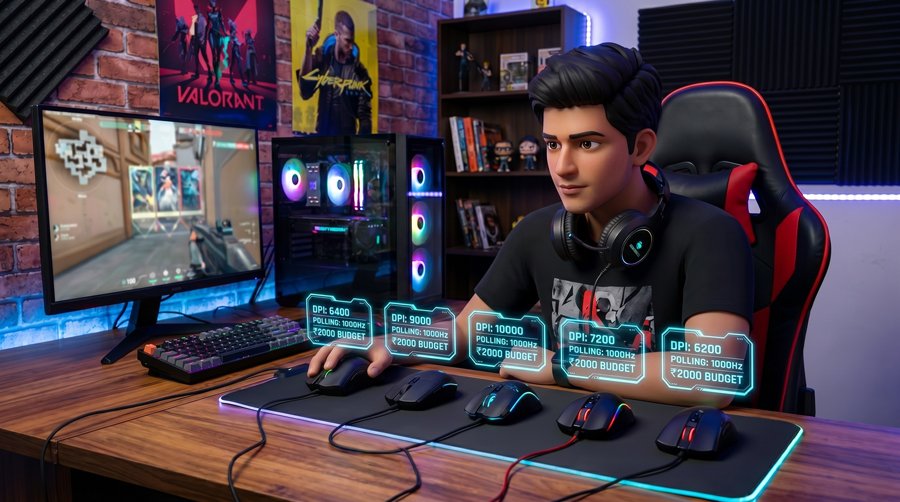
By 2026, the Indian budget gaming scene has changed completely compared to a few years ago, especially in the gaming mouse under ₹2000 category. Features like high‑end PixArt sensors, 1000 Hz polling rates, 2.4 GHz wireless, and tri‑mode connectivity, which were once limited to premium esports mice, have now reached budget‑friendly models.
This shift means that upgrading your mouse is now one of the cheapest and most effective ways to improve aim, consistency, and comfort, even if you are building a gaming setup on a tight student budget.
Best Gaming Mice Under ₹2000 in India (2026 Picks)
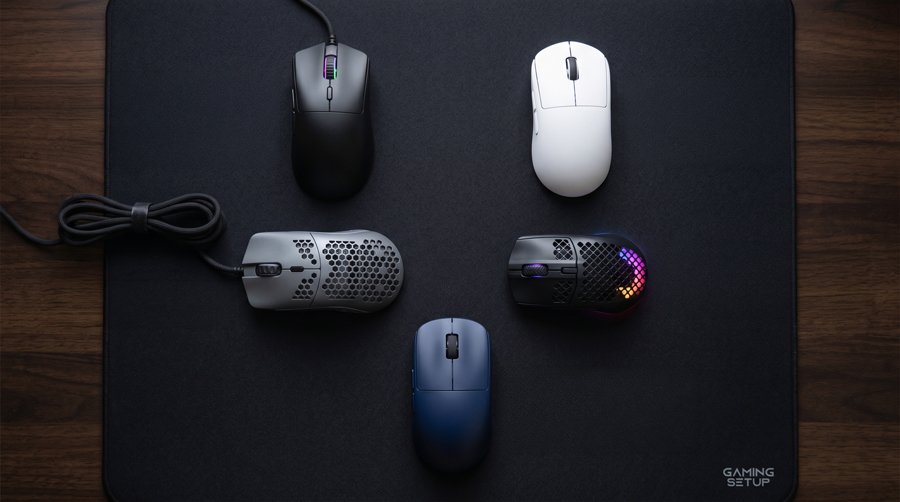
While there are dozens of models available, a handful of gaming mice keep showing up in Indian reviews and 2026 round‑ups in the under‑₹2000 segment. These are popular because they offer strong real‑world performance instead of just attractive spec sheets.
Razer DeathAdder Essential – Trusted Wired Classic
The Razer DeathAdder Essential is still a staple recommendation in 2026 for gamers who want a no‑nonsense wired gaming mouse under ₹2000 with a proven ergonomic shape. It offers a 6400 DPI optical sensor, durable mechanical switches, and a right‑handed shell tuned over multiple generations for comfortable palm and claw grips.
If you care more about consistent tracking and comfort than ultra‑high DPI numbers or flashy RGB, this mouse is a safe pick that fits into almost any setup. The single‑color green lighting and simple button layout keep things straightforward, and the wired USB connection ensures near‑zero latency in FPS titles like Valorant or CS2.
Logitech G102 LightSync – Best Budget Mouse for Most Gamers
The Logitech G102 LightSync is often recommended as the best all‑round budget gaming mouse for most Indian gamers under ₹2000. It combines an 8000 DPI gaming‑grade sensor, a 1000 Hz polling rate, and a lightweight body around 85 grams, which helps reduce wrist fatigue during long sessions.
Logitech’s LightSync RGB provides bright, smooth lighting effects with per‑zone customization through Logitech G HUB, making it easy to match your setup. For small to medium hands using claw or fingertip grip, the G102 usually feels natural right away, which is why it is frequently suggested when someone asks for the best budget mouse under ₹2000.
Redragon M612 PRO – Entry‑Level Wireless Without Breaking the Budget
For gamers who want to reduce cable clutter, the Redragon M612 PRO offers a dual‑mode solution under ₹2000 by supporting both wired USB and 2.4 GHz wireless. Its internal battery is often rated for over 50 hours of use on a single charge in typical mixed‑use scenarios.
The mouse includes an adjustable sensor with steps up to 8000 DPI and eight programmable buttons in a shape that leans slightly ambidextrous, making it workable for some left‑handed users too. While wireless latency is marginally higher than wired, it remains perfectly acceptable for casual and semi‑competitive play, especially in non‑FPS genres.
daWg Wireless Tri‑Mode – Indian Brand, Maximum Flexibility
The daWg Wireless Gaming Mouse stands out by offering tri‑mode connectivity—2.4 GHz wireless, Bluetooth, and Type‑C wired—while still staying under the ₹2000 mark in typical 2026 pricing. It combines this flexibility with a high‑DPI PixArt sensor (up to 12000 DPI), a sub‑90‑gram weight class, and modern Type‑C charging.
As an Indian brand, daWg appeals to buyers who want to support local hardware makers while still getting features usually associated with more expensive international models. The trade‑offs are mainly in its younger software ecosystem and shorter track record, but for multi‑device users who switch between laptop, PC, and even tablet, it is a very compelling option.
EvoFox Blaze 2 – High Specs on a Tight Budget
The EvoFox Blaze 2 wireless mouse pushes its spec sheet aggressively while holding its price inside the budget bracket. It advertises a 12800 DPI sensor and 1000 Hz polling rate, putting it in the same input frequency territory as many higher‑priced esports models in terms of reported responsiveness.
Like the daWg mouse, the Blaze 2 offers tri‑mode connectivity (2.4 GHz wireless, Bluetooth, and Type‑C wired) with fast charging, making it attractive for spec‑hungry gamers who want the maximum numbers for their money. The main compromises tend to be the maturity of its software and long‑term brand reputation, which users should weigh against the impressive raw features.
Key Specs Comparison: Best Gaming Mouse Under ₹2000
| Mouse | Max DPI | Connection Type | Notable Strengths |
| Razer DeathAdder Essential | 6400 | Wired USB | Ergonomic shape, reliable switches, FPS‑friendly sensor |
| Logitech G102 LightSync | 8000 | Wired USB, 1000 Hz polling | Lightweight design, precise sensor, vivid RGB lighting |
| Redragon M612 PRO | 8000 | Wired USB + 2.4 GHz wireless | Dual‑mode connectivity, 50+ hr battery, ambidextrous lean |
| daWg Tri‑Mode | 12000 | 2.4 GHz + Bluetooth + Type‑C | Tri‑mode connectivity, Type‑C charging, lightweight, Indian brand |
| EvoFox Blaze 2 | 12800 | 2.4 GHz + Bluetooth + Type‑C | 1000 Hz polling, highest DPI here, tri‑mode flexibility |
This table shows how each option differentiates itself even within the same approximate budget, so you can pick based on the specs that actually matter to your games and usage.
Understanding Gaming Mouse Specs (Made Simple)
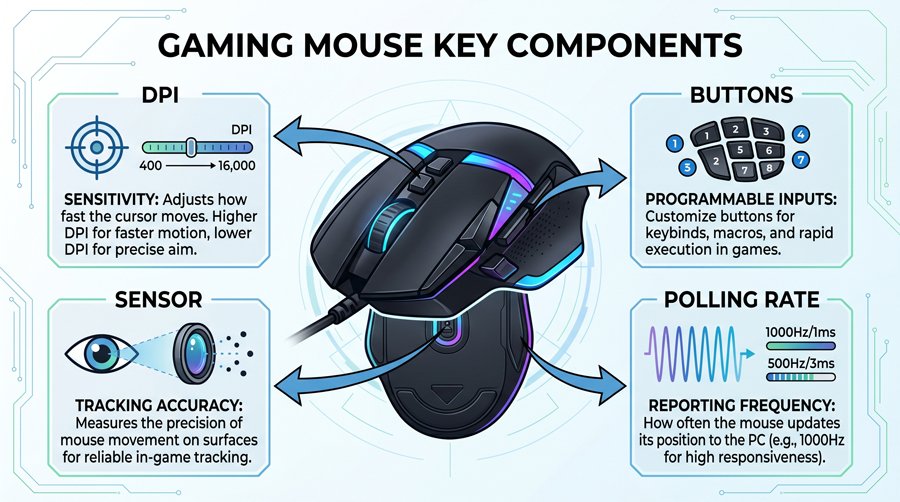
Technical terms can be confusing when you are just trying to buy a good mouse, so here is what the most common specs actually mean in real use. Focus on how they affect your aim, comfort, and responsiveness rather than chasing the biggest numbers on the box.
DPI and Real‑World Sensitivity
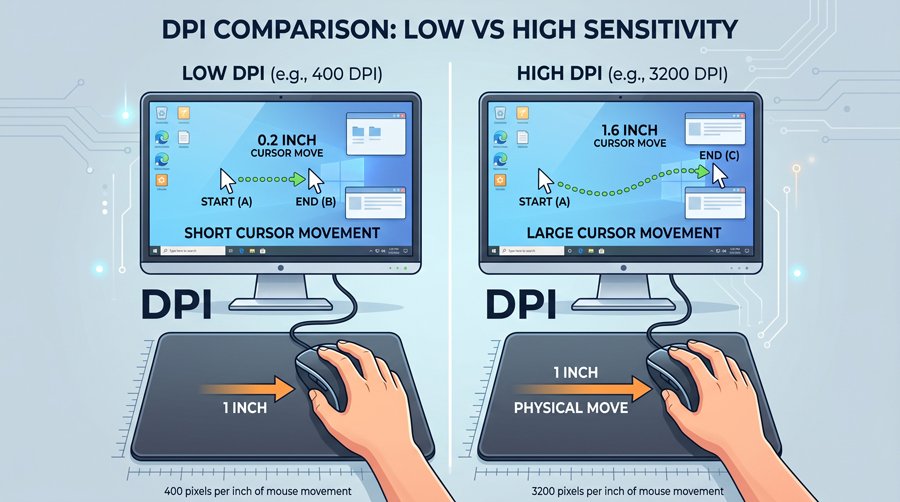
DPI (dots per inch) describes how far your cursor moves on‑screen relative to how far you move the mouse on the pad. Very high DPI values like 12000 or 12800 are mostly marketing; most competitive players globally still play between 400 and 1600 DPI and then fine‑tune sensitivity in‑game.
For most users, what matters is not the maximum DPI, but whether the sensor tracks smoothly and consistently in your preferred range without jitter or acceleration. Any gaming mouse under ₹2000 with a stable sensor from a reputable brand will be more than enough for FPS, MOBA, and casual titles.
Polling Rate and Responsiveness
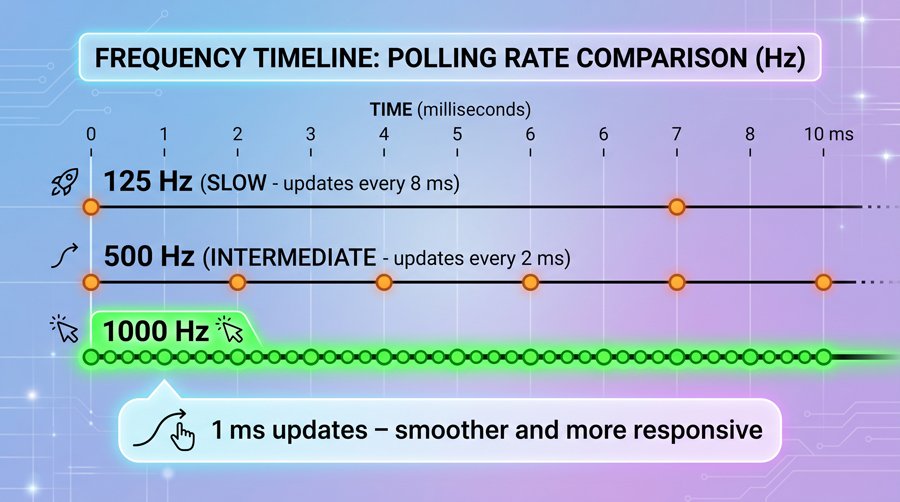
Polling rate indicates how many times per second the mouse reports its position to your computer, with common values being 125 Hz, 500 Hz, and 1000 Hz. A 1000 Hz polling rate, as advertised by some budget and mid‑range gaming mice in 2026, corresponds to a 1 ms report interval and is considered the modern standard for responsive gameplay.
Even a solid 500 Hz implementation will feel smooth for many players, but since 1000 Hz has become common even in affordable options, it is worth prioritizing when you have a choice—especially if you play fast FPS or competitive titles.
Wired vs Wireless vs Tri‑Mode
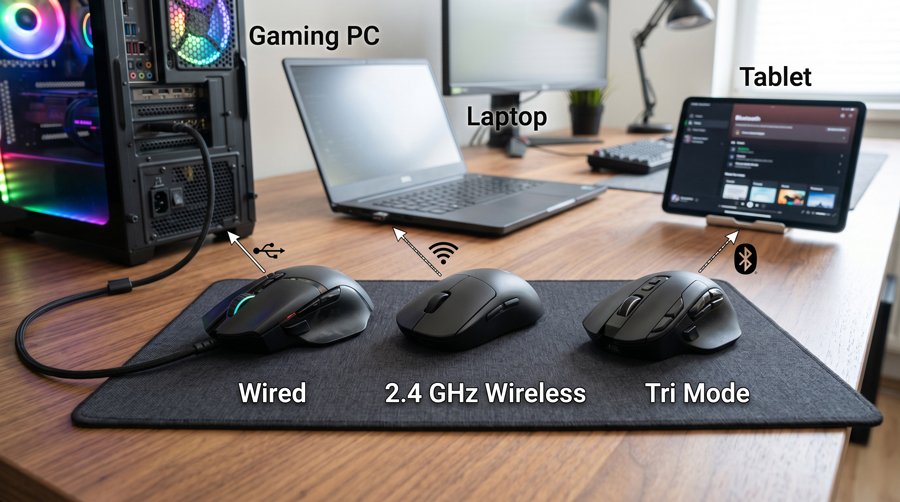
Traditional wired mice like the Razer DeathAdder Essential and HyperX Pulsefire Raid eliminate battery concerns and provide extremely stable, low latency performance. Modern 2.4 GHz wireless implementations, however, have narrowed the gap so much that many users cannot feel a difference in normal play, especially in non‑professional settings. Tri‑mode mice add Bluetooth on top of wired and 2.4 GHz wireless, allowing quick pairing with laptops, tablets, and even phones. This makes them ideal if you want a single budget mouse to handle both gaming at home and productivity on the go.
How to Choose the Right Gaming Mouse Under ₹2000
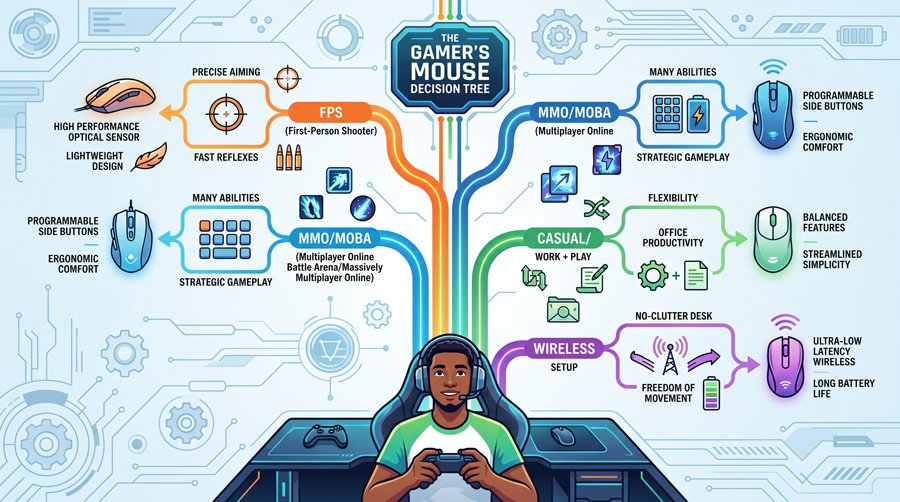
Choosing the best gaming mouse under ₹2000 starts with your priorities and the games you play most often. If you mainly play competitive shooters, you will usually prefer a simpler, lighter wired mouse with a proven shape and sensor, such as the DeathAdder Essential or Logitech G102.
MMO, MOBA, and productivity‑focused users may benefit more from the dense button layout and macro options of the HyperX Pulsefire Raid. If your main goal is a clean, cable‑free desk or the ability to use one mouse across multiple devices, then the wireless and tri‑mode options from Redragon, daWg, or EvoFox become more attractive, even if their software is a bit rough around the edges.
Checklist: What to Prioritize Before Buying
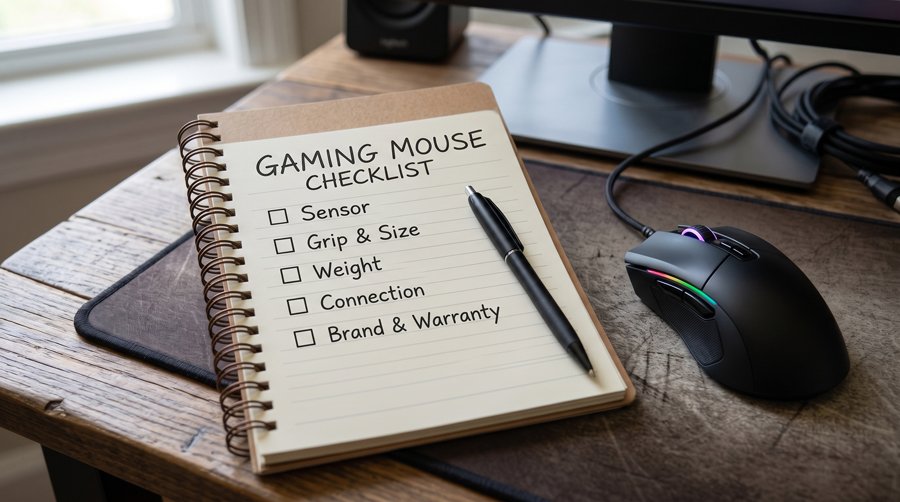
Before you hit “Buy Now”, run through this quick checklist:
- Sensor and tracking: Look for a known gaming sensor and stable performance in your preferred DPI range.
- Grip and hand size: Check reviews and photos to see if the shape suits your palm, claw, or fingertip grip.
- Weight and balance: Lighter is usually better for FPS; heavier can feel more controlled for MOBA/MMO.
- Connection type: Decide between wired simplicity and the flexibility of wireless or tri‑mode.
Brand reliability: Consider warranty, customer support, and long‑term user feedback in India.
2026 Trends in the Budget Gaming Mouse Market
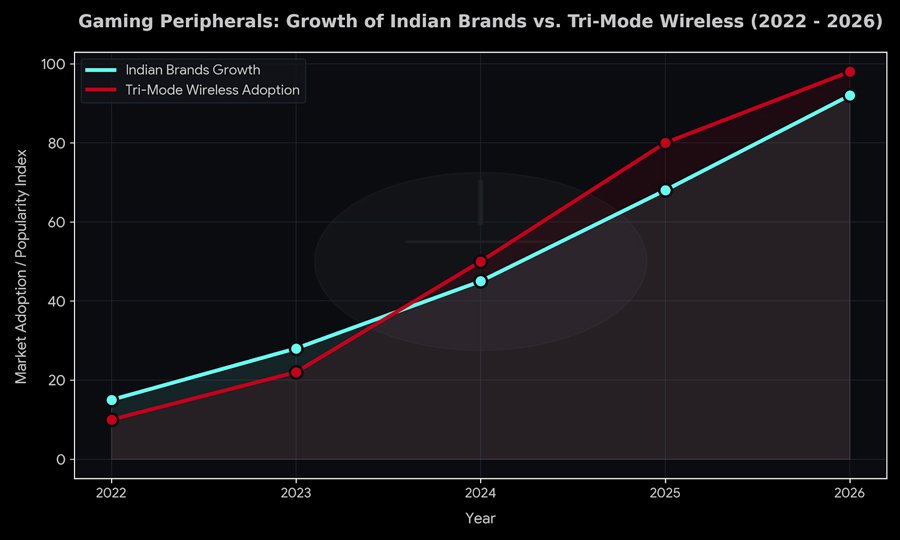
By early 2026, several clear trends have emerged in the under‑₹2000 gaming mouse market in India. Local brands such as daWg and EvoFox are pushing aggressive spec sheets by offering tri‑mode connectivity, high‑DPI sensors, and Type‑C charging at prices that used to only buy basic wired devices.
At the same time, established international brands continue to lead on refined shapes, trusted sensors, and polished software ecosystems, even if their on‑paper specs look modest compared to newer competitors. For buyers, this creates a competitive market where checking real‑world reviews, build quality, and reliability is more important than just reading spec tables.
Final Thoughts: Getting the Best Value Under ₹2000

The “best” gaming mouse under ₹2000 in 2026 will vary from player to player, but the good news is that the Indian market now offers multiple comfortable, responsive, and durable options in this price range. Whether you prefer a classic wired ergonomic shape, a button‑rich MMO mouse, or modern tri‑mode wireless freedom, at least one of the models discussed here will likely fit your needs.
Instead of chasing the highest DPI number or the craziest RGB effects, focus on how the mouse feels in your hand, how reliably the sensor tracks, how heavy it is, and which connection style fits your setup. With those priorities in mind, today’s budget segment genuinely delivers gaming‑grade performance without breaking a student‑friendly budget.